Client Support Portal
A support ticket system built into every client site. Clients log in or just send an email. James gets notified either way, then decides: let AI handle it, or take it himself.
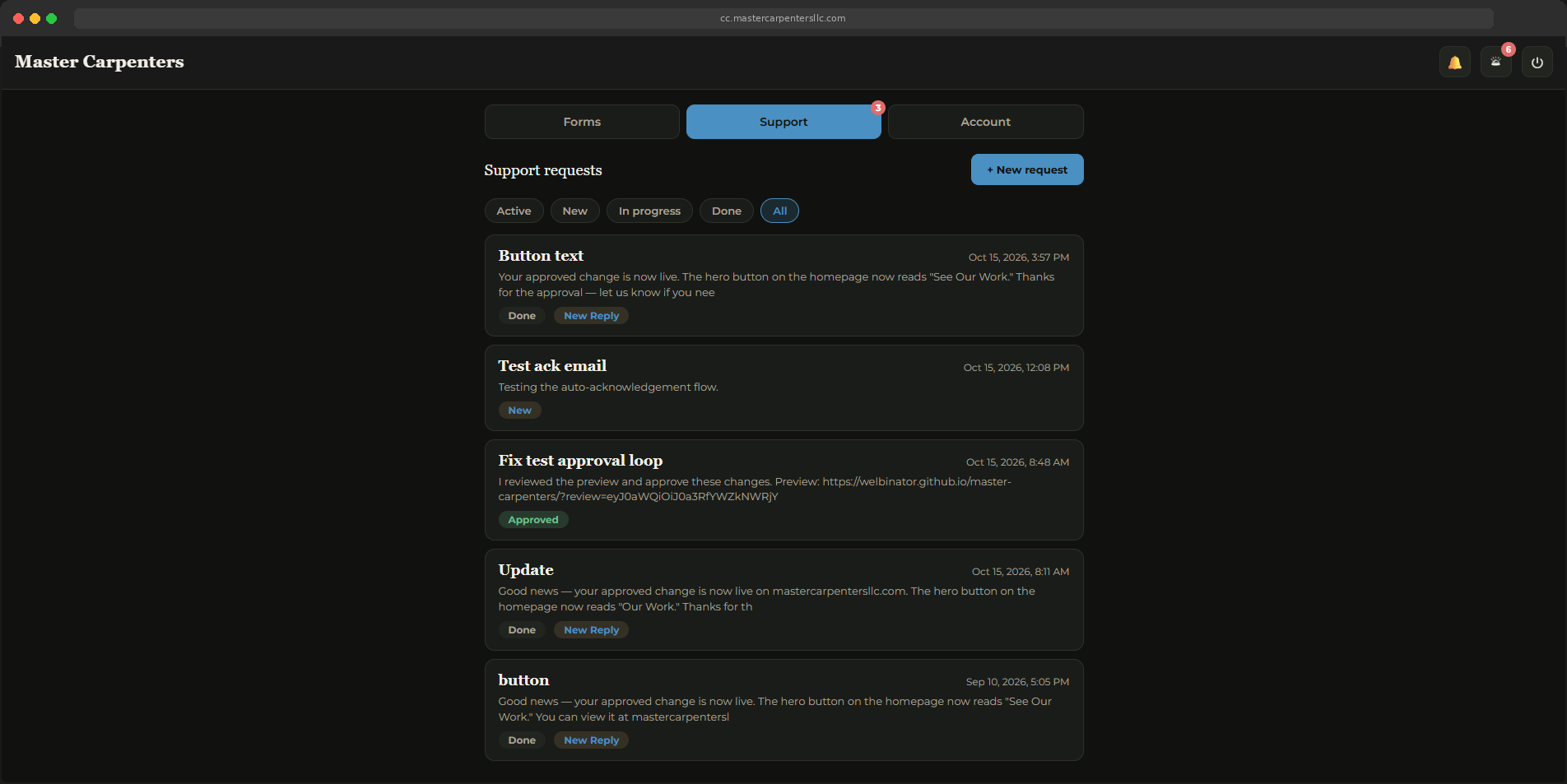
Support requests were scattered everywhere
Client requests came in through text messages, random emails, Facebook messages, and the occasional phone call at 8pm. There was no central record. No way to track what was pending, what was done, or what had been approved. Every request lived in a different inbox.
The goal was simple: one place for clients to submit requests, one place for me to see and manage them, and a clear record of everything that was asked and done.
Two ways in: the portal or just an email
Clients don't have to change how they work. There are two ways to submit a request:
- The portal: each client site has a
/supportpage. Clients log in with their own credentials and submit a request through a form. It's clean, simple, and shows them their own ticket history - Email: clients can just email a dedicated support address. The email gets parsed automatically, matched to the right client, and turned into a ticket. No portal login required
Either way, the ticket lands in the same place: the Command Center, where I can see and manage everything across all clients from one dashboard.
AI handles it, or I do. My call every time.
When a new ticket comes in, I get notified. The ticket sits in a "pending" state until I decide what happens next. I have two choices:
Releases the ticket to the AI agent. It reads the request, makes the change, creates a staging preview, and notifies the client for approval. I don't touch it unless something needs a judgment call.
Flags the ticket as manual. AI stays out entirely. I work the ticket myself, update the status, and push to staging when ready. Good for complex requests or anything that needs a conversation.
This gives me the efficiency of AI automation for routine requests while keeping full control over anything sensitive or complex. I'm never locked out of my own process.
Clients approve changes before they go live
Whether AI or I make the change, the client sees it on a staging preview before anything hits production. They get a link, review the change, and click approve. That approval is cryptographically verified and flips the ticket to approved status automatically.
If the client originally emailed in, the staging link goes back to them by email. If they used the portal, they see it there. The workflow adapts to however they came in.
One system, deployed on every client site
The support portal is a reusable pattern. The same support page, login system, and ticket API get deployed on every client site. Each client gets their own D1 database and their own branded login screen, but the underlying code is identical.
Want something like this for your clients?
If you're managing multiple client websites and drowning in scattered requests, this kind of system is exactly what AI can help build fast. Let's talk.
Let's talk →