Command Center
I got tired of bouncing between five different tabs to run my agency. So I built one dashboard that holds everything: leads, clients, invoices, WordPress sites, analytics, and support tickets. It runs my entire operation.
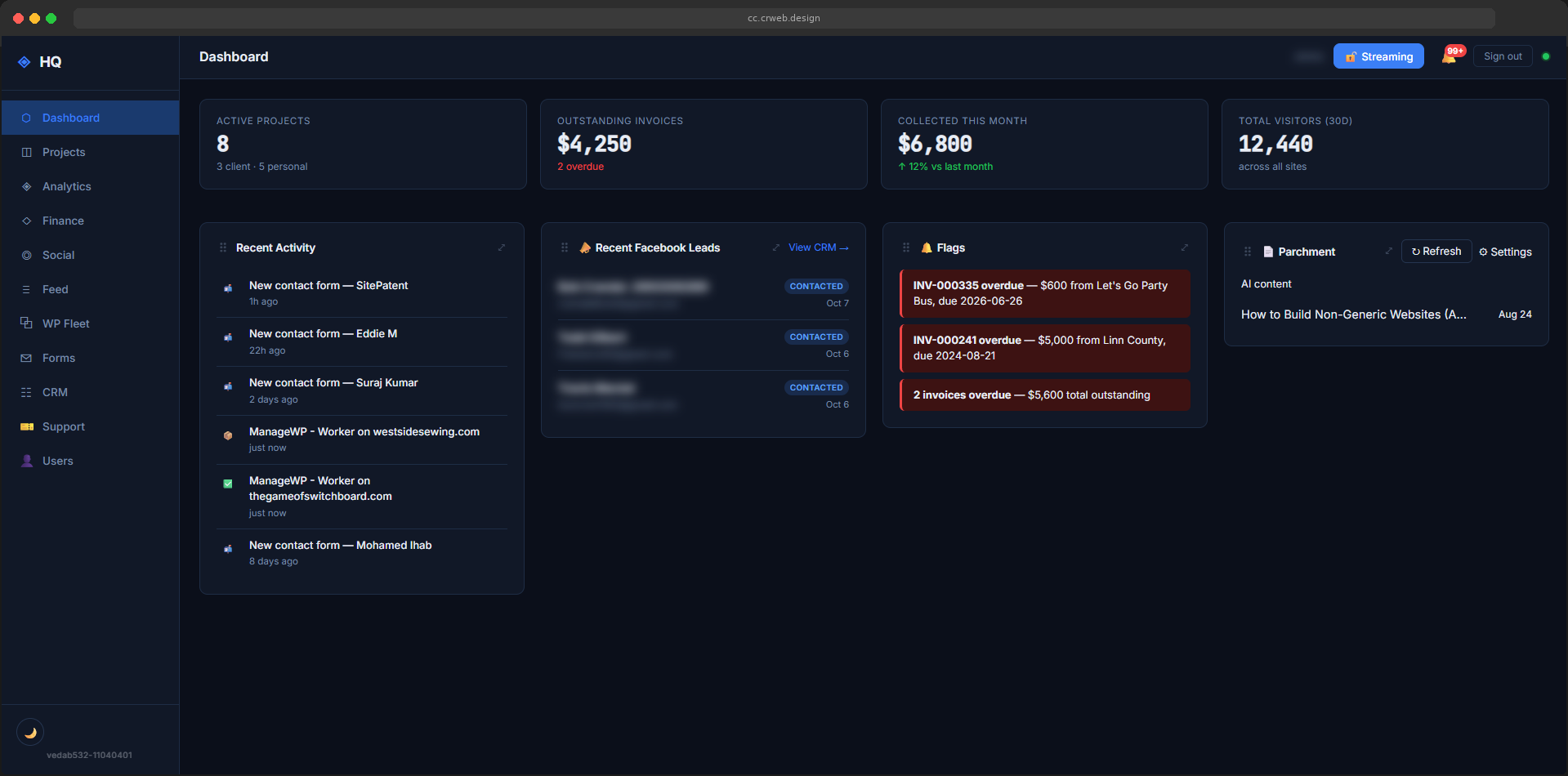
The problem
Running a small web agency means managing a lot of moving parts. Leads coming in from Facebook and contact forms. Clients at different stages. Invoices going out. WordPress sites to monitor. Support tickets from clients who need changes. Each of those used to live somewhere different: a spreadsheet here, a SaaS tool there, email threads everywhere.
I wanted one place. My place, built exactly the way I think about my work.
What it does
Every lead and client in one table. Status tracking, follow-up cadence, email activity log, and Facebook lead sync. The follow-up queue surfaces who to contact next based on where they are in the sequence.
Send invoices, track what is outstanding, and see overdue flags on the dashboard. Integrates with the client record so I always know the billing status at a glance.
All the WordPress sites I manage in one view. Plugin update status, uptime, last sync. Lets me spot sites that have fallen behind without SSHing into each one.
Visitor counts across all client sites pulled into one place. No more logging into GA for each domain separately.
Every client support request flows here, whether the client logged in through their portal or just sent an email. I see all of them in one queue and can dispatch each one to AI or handle it myself.
One button blurs all client names, emails, and sensitive data. Useful for screen sharing, demos, or recording without exposing private information.
How it was built
The backend is a single Python server running on Hetzner. No framework overhead: just a request handler, a handful of manager modules, and a SQLite-style D1 database on Cloudflare for structured data.
The frontend is vanilla JS and CSS. No React, no build step on the server side. This was intentional: the dashboard needs to be fast to load and easy to patch directly on the server when something needs a quick fix.
Email is handled through Brevo: outbound for follow-ups and invoices, inbound parsing for support tickets that arrive by email. Notifications go through Web Push so I get alerted on my phone when a new lead or ticket comes in.
Tech stack
Want something like this for your business?
I build custom internal tools for small businesses that are tired of paying for five different SaaS products that don't talk to each other.
Let's talk