Mobile App · Android · 2026
Doppler Roller
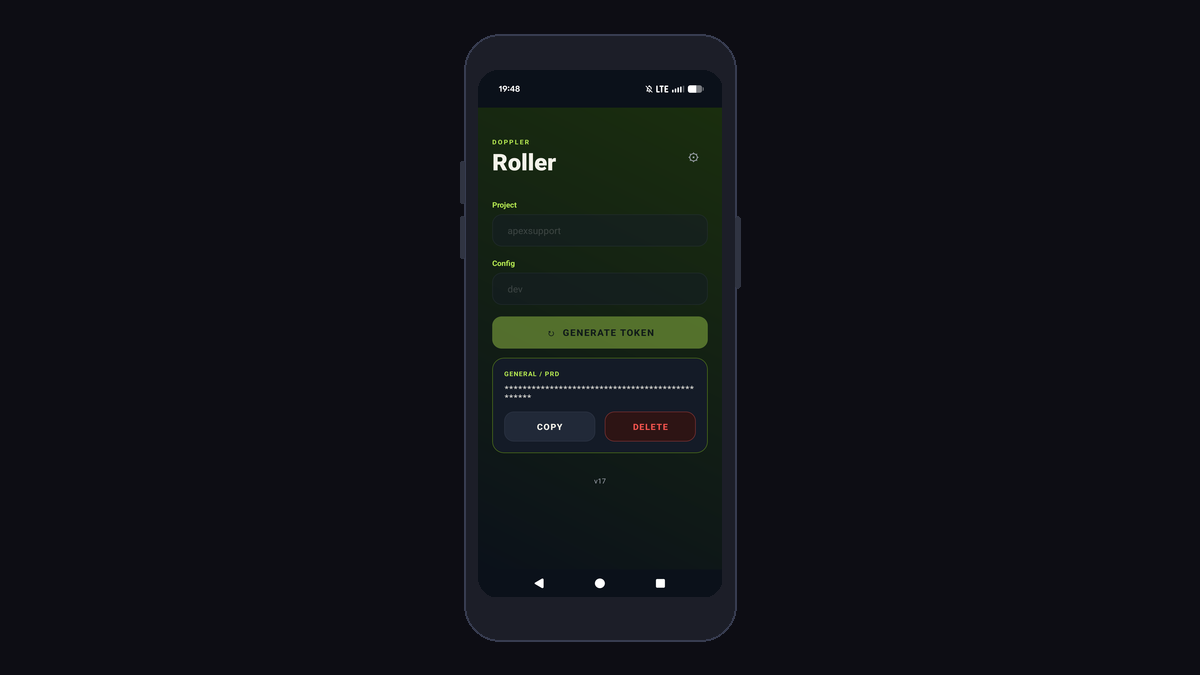
An Android app for generating scoped Doppler service tokens on demand, with masked display and one-tap clipboard copy.
The problem
Doppler is great for managing secrets - but every time I needed a service token to hand off to an agent or script, I had to open the browser, log in to the Doppler dashboard, navigate to the right project and config, generate a token, and manually copy it. That's five or six steps for something I do constantly.
On mobile it was even worse. The Doppler web UI is not built for quick phone access, and I wanted to be able to generate a fresh token and copy it in under ten seconds from anywhere.
What it does
- Connects to your Doppler account with a personal API token stored securely on-device
- Lists all your projects and configs in dropdowns
- Generates a scoped read-only service token for the selected project/config with one tap
- Displays the token masked with asterisks - copy always gets the real value
- Tokens can be deleted from within the app when no longer needed
- Pull down to refresh the project list
- Settings screen for updating your API key or removing it entirely
- In-app update check: tap once, browser downloads the new APK, tap the notification to install
How it was built
Native Android app written in Kotlin. No frameworks, no React Native - just Kotlin, Material3 components, and OkHttp for the Doppler API calls. API keys are stored using Android's EncryptedSharedPreferences, which encrypts them at rest using AES-256.
The update mechanism hits the GitHub releases API, compares version numbers, and opens the download URL in the browser. No Play Store, no Firebase - just a GitHub release and a browser download.
The design system is dark navy with electric lime accents - #0B111A background, #B5E851 primary. All custom drawables for buttons, inputs, and the token card.
Result
Generating a service token went from a five-step browser workflow to a two-tap process. It runs entirely on my phone with no server component. The token display is masked by default so I can use the app in public without exposing credentials.
Have a problem like this?
Repetitive browser workflows, credential juggling, things you do ten times a day that deserve a dedicated tool. These are exactly the kind of things AI can knock out fast. If you've got a workflow that deserves a tool, let's talk.
Let's talk →